How to Turn Your DMs Into Income with Skite Chat

“Quick question…” Every creator knows that message, and it’s rarely quick. Skite Chat lets you charge for direct access, so the time you spend answering questions earns you money.
1. Set up your DM Wall
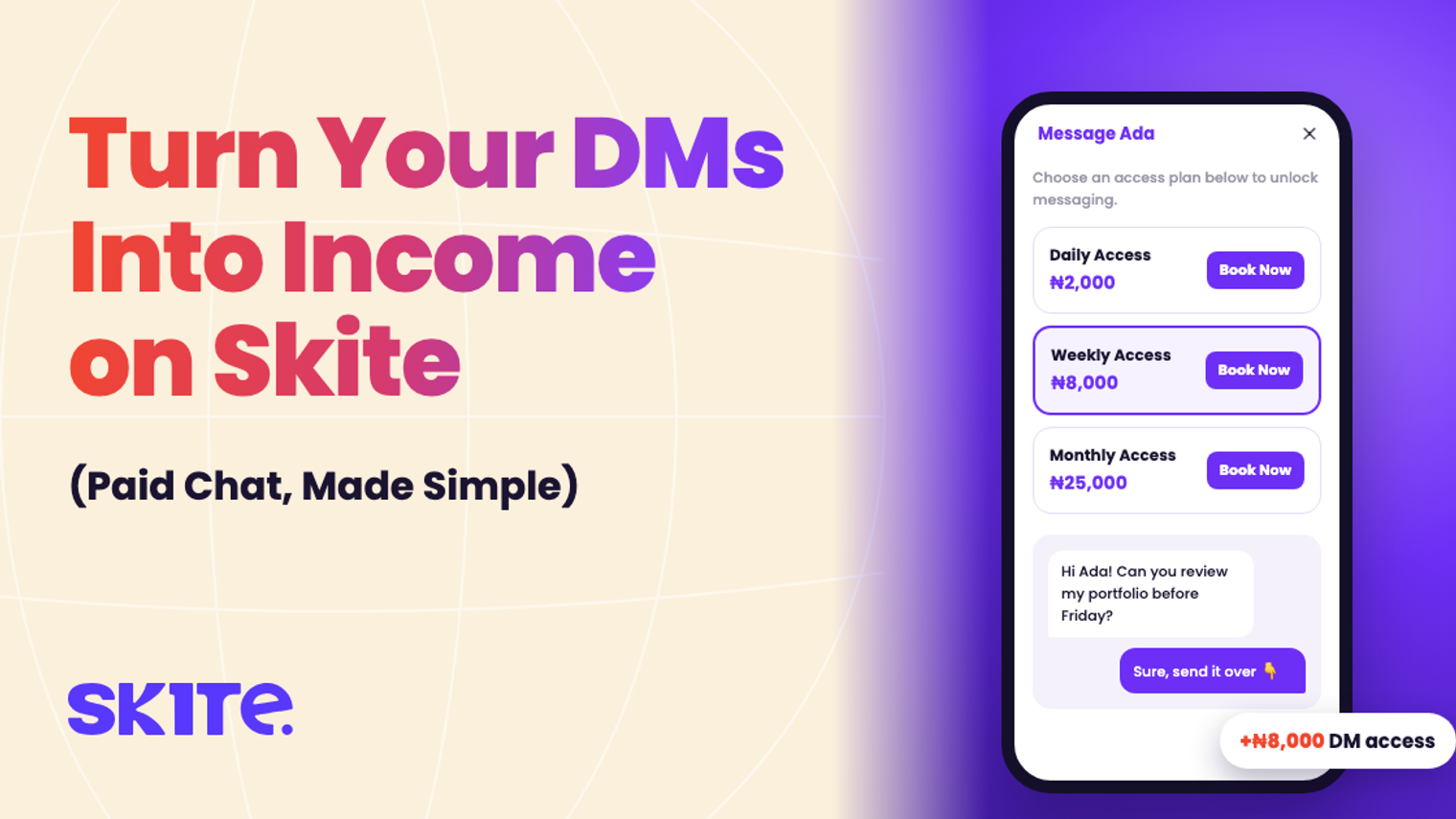
A DM Wall means people pay before they can message you. In your dashboard, open Configure Your DM Wall and choose the access options you want to offer:
- Daily Access: for one quick question.
- Weekly Access: for a short burst of support.
- Monthly Access: for ongoing mentoring.
Set a price for each one, then click Save Changes.
2. Share your store link
Your Skite store gets a Message button. Put your link in your bio. When someone asks “can I DM you?”, send them the link.
3. Followers pay to message you
They pick an access plan, add a short note about what they need, and pay. The chat then opens in your Skite inbox. When their access period ends, the chat locks until they book again.
4. Reply from one inbox
All your paid conversations live in Chats on Skite, separate from your personal WhatsApp and Instagram. Every paid message is tracked in your sales, so you can see what your Q&A time is really worth.
Bonus: your Channel
Need to reach everyone at once? Use your Channel for one-way announcements, like a new product, a class date or a quick tip, without the noise of a group chat.
What it costs
Nothing upfront. Skite keeps 5% + ₦50 per paid DM purchase, and your earnings go to your Skite wallet, ready to withdraw.
Quick pricing tips
- Daily access should feel like an easy yes. It’s the impulse buy.
- Weekly and monthly access should feel like a deal. Price them a little below the daily price × 7 or × 30.
- Raise your prices when your inbox fills up. Demand is your signal.
Learn more about Skite Chat.
Ready to start earning?
Set up your Skite hub, launch your first offer, and get paid.
Get started for free