How to Monetize Your Time with Paid 1:1 Calls on Skite

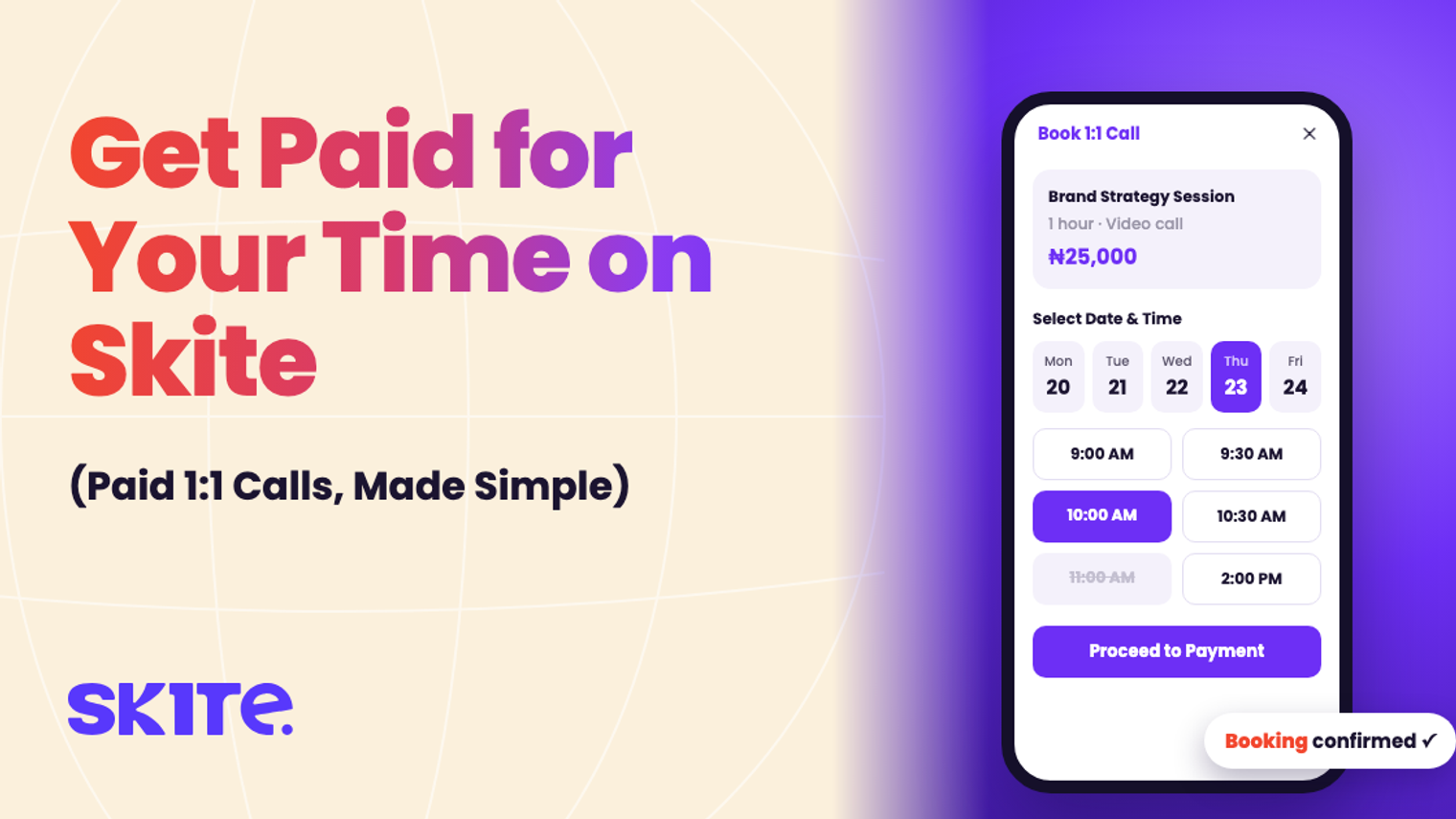
People already ask you for advice: in your DMs, in your comments, after your posts. Skite Calls turns those questions into paid 1:1 sessions, with booking, payment and the video call all in one place.
1. Create your call
Go to Calls in your dashboard and click Create 1:1 Call. Add:
- Call Name: make it specific, such as “CV Review” or “Brand Strategy Session”.
- Description: what the client gets and who it’s for.
- Duration: 30 minutes or 1 hour.
- Price: free, or paid in NGN or USD.
2. Set your availability
Click Set your Availability and choose the hours you’re open for each day of the week, and mark the days you’re unavailable. Clients can only book you inside these hours.
3. Share your link
Your call appears on your Skite store with a Book 1:1 Call button. Put your store link in your bio and reply to “can I ask you something?” DMs with it.
4. Clients book and pay
The client picks your call, chooses a date and time from your open slots, enters their details and clicks Proceed to Payment. A booking is only confirmed once they’ve paid, so no more unpaid no-shows.
5. Take the call
Calls happen on Skite’s built-in video call, so there’s no meeting link to send. You’ll find every booking under Upcoming Sessions. If something comes up, you can reschedule or cancel with a reason, and your client is kept in the loop. Finished calls move to Past Sessions.
What it costs
Nothing upfront. Skite keeps 5% + ₦50 per paid booking, and your earnings go to your Skite wallet, ready to withdraw.
Tips for pricing your time
- Start with one offer. One clear 30-minute session sells better than five options.
- Price the outcome, not the minutes. “Fix your pitch deck” is worth more than “30 minutes of my time”.
- Raise your price as you get booked up. A full calendar means you’re too cheap.
Learn more about Skite Calls.
Ready to start earning?
Set up your Skite hub, launch your first offer, and get paid.
Get started for free